

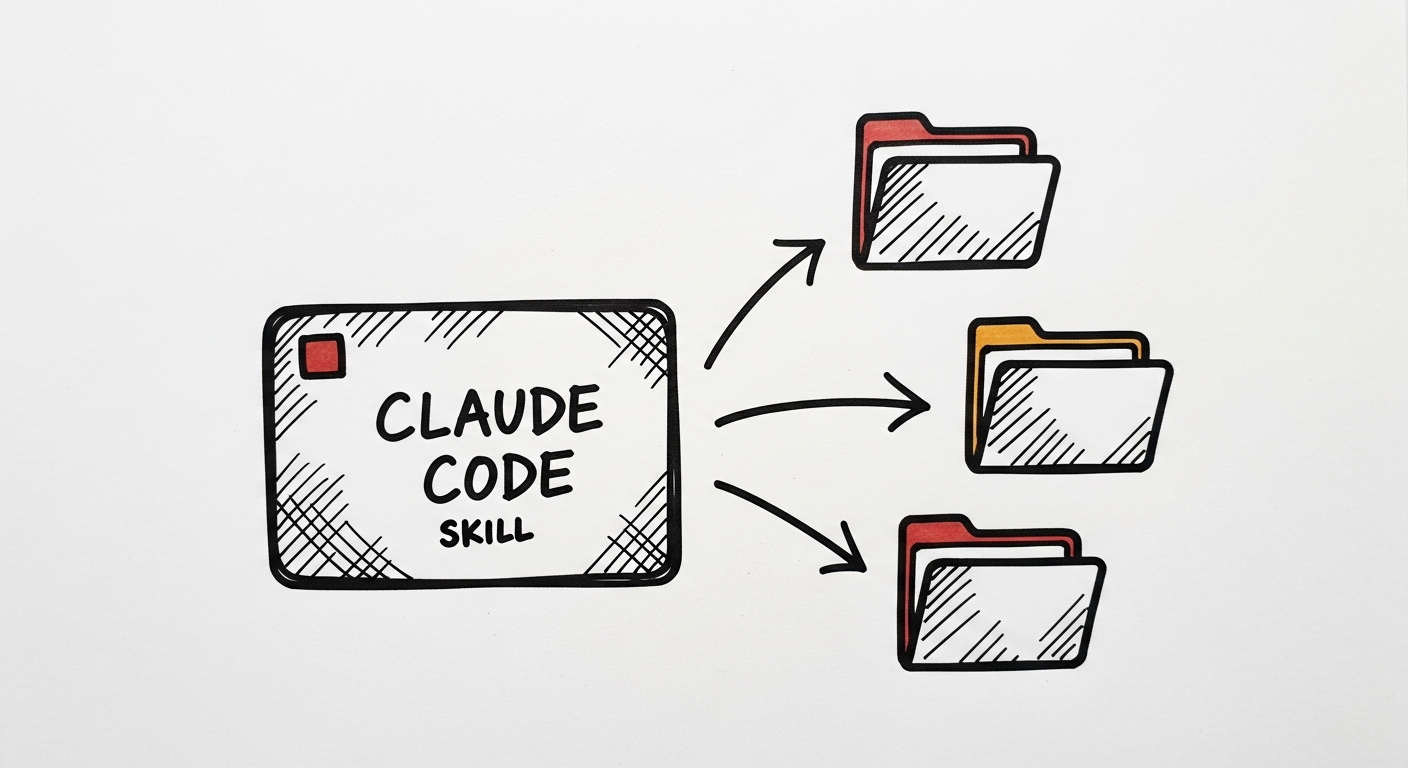
At Black Flag Design, skills are how our institutional knowledge actually ships. A skill (the slash-command workflow you write once and run forever) is the smallest durable unit of "how we do things here." The /after-meeting-report we run every Wednesday. The /synthesize that turns five transcripts into a client brief. The /spike that boots a client project from zero. These aren't scripts. They're opinions, encoded.
The moment a skill proves its worth in one repo, the question is: who else should have it? That question is harder than it sounds, and getting it wrong is how teams end up with forty-five half-broken slash commands nobody trusts. Here's how we think about sharing skills across a studio.
1. Skills are opinions, not utilities
Before you think about where a skill lives, be honest about what it is. A utility is a pure function: it does the same thing regardless of who runs it. A skill is an opinion: it encodes a specific way of working, with specific assumptions about the repo around it, the client on the other side, and the outputs that count as "done."
That distinction drives every sharing decision downstream. Utilities can live anywhere. Opinions need to live close to the people who hold them. Our /after-meeting-report assumes a specific directory structure, a specific client list, and a specific definition of "insight." Exporting it to another studio wholesale would be worse than useless; it would ship our biases into their workflow.
What to do: before you share a skill, write down the three assumptions it's making. If any of those assumptions would be wrong in the destination context, don't share it. Fork it.
2. Four levels of sharing, each with a clear job
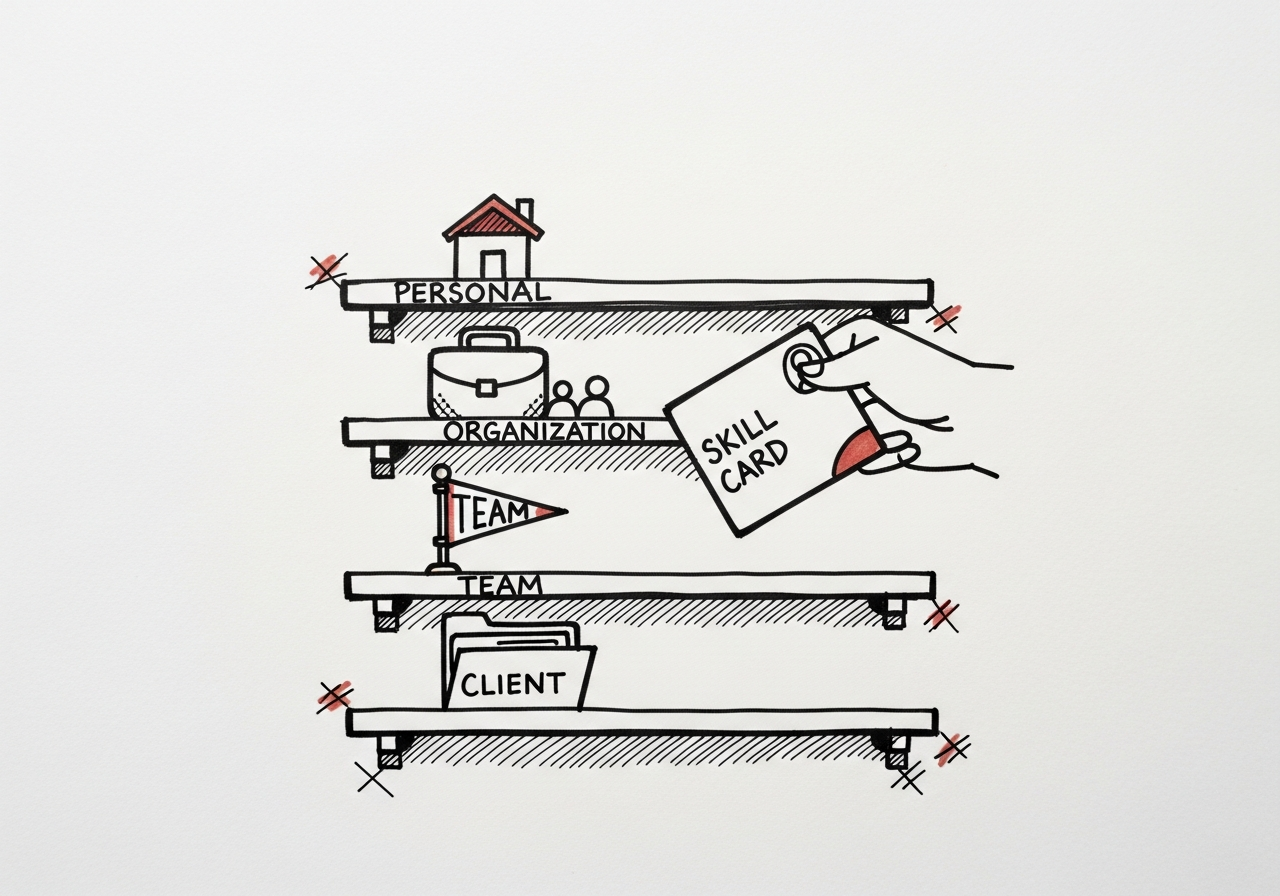
We run skills at four levels, and each answers a different question.
- Personal (
~/.claude/skills/). Rough drafts, half-formed experiments, the/loopyou haven't decided is worth keeping. Nobody else sees these. Perfect for "I run this twice a week and it saves me ten minutes." - Per-repo (
.claude/skills/or.cursor/skills/). Skills that only make sense in this codebase. A/refresh-one-projectthat knows this repo's submodule structure. These travel with git, get reviewed with PRs, and rot honestly when the code around them changes. - Org-wide (plugin or dotfiles module). The ones every project in the studio uses.
/feedback,/value-report,/export-to-pdf. We package these as a Claude Code plugin that every teammate installs once. Updates roll out from one source. - Per-client (client repo or submodule). Skills that encode a specific client's vocabulary, stakeholders, or deliverables. These live in the client's meeting-os directory and do not leak back to the org level.
The mistake to avoid: defaulting everything to org-wide because it "might be useful." Useful-to-maybe-someone is how a skills library becomes a graveyard.
What to do: for every new skill, pick the narrowest level where it's still useful, and start there. Promote only when a second team asks for it.
3. Packaging matters more than the skill itself
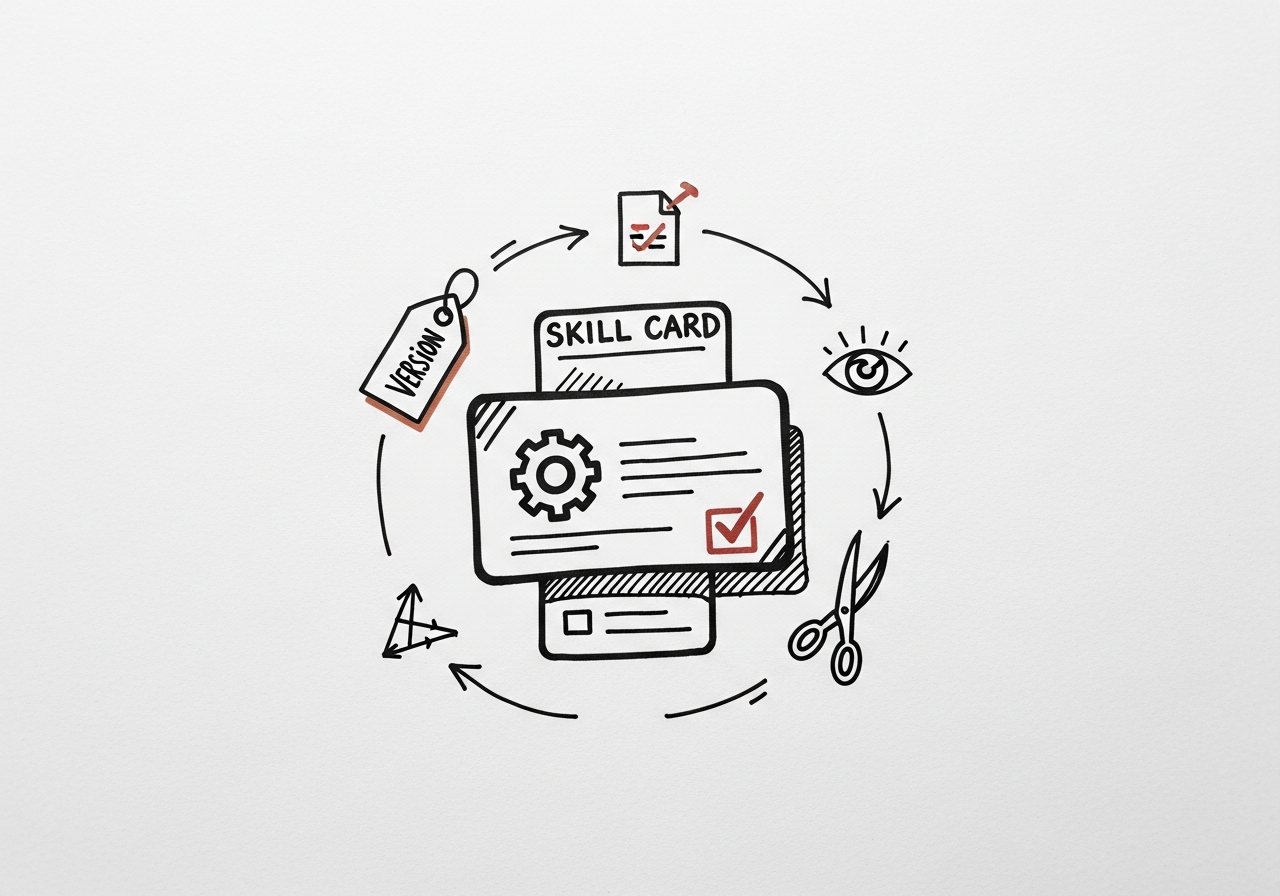
A skill is a markdown file plus, maybe, a bash helper. That sounds trivial. It isn't. A shareable skill needs four things the solo-use version doesn't: a stable entry point, a clear input contract, an output shape the caller can trust, and instructions that read cold.
For each skill we promote beyond personal level, we enforce the same packaging:
- One
SKILL.mdat the root. It leads with what this is, when to use it, when not to. A teammate who's never seen the skill should be able to decide in 30 seconds whether to run it. - Inputs named explicitly. "Pass the client slug and the week start date" beats "works it out from context."
- Outputs saved to predictable paths. If the skill writes files, they land under a documented directory, every time.
- A metrics log. Every run writes one row to
metrics/agent_value/. This is how we know which skills are load-bearing and which are decorative.
The packaging is what makes a skill reusable. The markdown is just the seed.
What to do: treat the SKILL.md as API documentation, not a note to yourself. If a new teammate can't run it correctly on day one, it isn't ready to share.
4. Freshness beats portability, every time
The biggest temptation with shared skills is to make them perfectly generic so they work everywhere. Resist it. A skill that's 80% fitted to one studio and updated weekly will outperform a skill that's 100% generic and updated twice a year.
Our /after-meeting-report hard-codes the clients we're currently working with. That feels wrong to share. But the alternative, a generic version that discovers clients dynamically, would lag two weeks behind reality every time a new engagement starts. The maintenance overhead of "generic" is where most shared skills die.
The pattern that works for us: the org-wide plugin ships an opinionated default. Teams that need different behavior fork it into their own repo, mark the fork as "own this, we won't sync upstream," and move on. Forks are a feature, not a failure.
This mirrors how we think about AI-assisted engineering discipline: small scope, weekly rebalance, ruthless about what earns its keep.
What to do: write skills for the work in front of you. Share the ones that prove useful twice. Let teams fork when their context diverges, and don't apologize for it.
5. Governance is the boring part that keeps it working
Shared skills rot faster than shared code, because the feedback loop is looser. A broken function fails a test. A broken skill just produces worse output that nobody notices for a month.
We run three disciplines to keep the library healthy:
- Skill owners. Every org-wide skill has a named owner. If it breaks, they fix it or retire it. No orphans.
- Quarterly pruning. Once a quarter, we look at the metrics log and cut any skill that hasn't been run in 60 days. Pruned skills go to an
archive/folder, not the trash, so we can revive them. - Review on promotion. Moving a skill from personal to org-wide is a PR, with a reviewer. The question the reviewer asks is always: is this an opinion this whole studio actually holds, or is this one person's workflow?
Governance is the least fun part of a skills library. It's also the only reason the library still works a year in.
What to do: name an owner for every shared skill, schedule a quarterly prune, and require review on promotion. Skip any of those and the library degrades quietly.
The one-paragraph version
Skills are the durable unit of how your team works. Share them at the narrowest level where they're still useful (personal, per-repo, org-wide, per-client), package them like you'd package an API (SKILL.md, named inputs, predictable outputs, metrics), prefer a fresh opinionated version over a stale generic one, and accept forks as a feature. Then do the boring governance work: name owners, prune quarterly, review on promotion. A skills library is a studio's memory; treat it that way.
If you're about to share your first skill, start with one that solves a real problem for a second person you already know, not a theoretical team you might build one day.

%22%2F%3E%3Cpath%20d%3D%22M0%20110h1200M0%20375h1200M0%20640h1200M180%200v750M600%200v750M1020%200v750%22%20stroke%3D%22rgb(244%20241%20234)%22%20stroke-opacity%3D%22.13%22%20stroke-width%3D%222%22%2F%3E%3Crect%20x%3D%2288%22%20y%3D%2286%22%20width%3D%221024%22%20height%3D%22578%22%20fill%3D%22none%22%20stroke%3D%22rgb(244%20241%20234)%22%20stroke-opacity%3D%22.32%22%20stroke-width%3D%223%22%2F%3E%3Ctext%20x%3D%22110%22%20y%3D%22150%22%20fill%3D%22rgb(244%20241%20234)%22%20font-family%3D%22Montserrat%2C%20Arial%2C%20sans-serif%22%20font-size%3D%2228%22%20font-weight%3D%22800%22%20letter-spacing%3D%228%22%3ECLAUDE%20CODE%3C%2Ftext%3E%3Ctext%20x%3D%22110%22%20y%3D%22572%22%20fill%3D%22rgb(244%20241%20234)%22%20font-family%3D%22Montserrat%2C%20Arial%2C%20sans-serif%22%20font-size%3D%2276%22%20font-weight%3D%22900%22%3EBLACK%20FLAG%3C%2Ftext%3E%3Ctext%20x%3D%22110%22%20y%3D%22635%22%20fill%3D%22rgb(244%20241%20234)%22%20font-family%3D%22Montserrat%2C%20Arial%2C%20sans-serif%22%20font-size%3D%2252%22%20font-weight%3D%22700%22%3EJOURNAL%3C%2Ftext%3E%3CforeignObject%20x%3D%22110%22%20y%3D%22210%22%20width%3D%22940%22%20height%3D%22230%22%3E%3Cdiv%20xmlns%3D%22http%3A%2F%2Fwww.w3.org%2F1999%2Fxhtml%22%20style%3D%22font-family%3AMontserrat%2CArial%2Csans-serif%3Bfont-size%3A50px%3Bfont-weight%3A800%3Bline-height%3A1.02%3Bcolor%3Argb(244%20241%20234)%3Bletter-spacing%3A0%22%3EWhat%20a%20Year%20of%20Claude%20Code%20Trails%20Tells%20You%20About%20Your%20Team%3C%2Fdiv%3E%3C%2FforeignObject%3E%3C%2Fsvg%3E)
%22%2F%3E%3Cpath%20d%3D%22M0%20110h1200M0%20375h1200M0%20640h1200M180%200v750M600%200v750M1020%200v750%22%20stroke%3D%22rgb(244%20241%20234)%22%20stroke-opacity%3D%22.13%22%20stroke-width%3D%222%22%2F%3E%3Crect%20x%3D%2288%22%20y%3D%2286%22%20width%3D%221024%22%20height%3D%22578%22%20fill%3D%22none%22%20stroke%3D%22rgb(244%20241%20234)%22%20stroke-opacity%3D%22.32%22%20stroke-width%3D%223%22%2F%3E%3Ctext%20x%3D%22110%22%20y%3D%22150%22%20fill%3D%22rgb(244%20241%20234)%22%20font-family%3D%22Montserrat%2C%20Arial%2C%20sans-serif%22%20font-size%3D%2228%22%20font-weight%3D%22800%22%20letter-spacing%3D%228%22%3EPLAYBOOK%3C%2Ftext%3E%3Ctext%20x%3D%22110%22%20y%3D%22572%22%20fill%3D%22rgb(244%20241%20234)%22%20font-family%3D%22Montserrat%2C%20Arial%2C%20sans-serif%22%20font-size%3D%2276%22%20font-weight%3D%22900%22%3EBLACK%20FLAG%3C%2Ftext%3E%3Ctext%20x%3D%22110%22%20y%3D%22635%22%20fill%3D%22rgb(244%20241%20234)%22%20font-family%3D%22Montserrat%2C%20Arial%2C%20sans-serif%22%20font-size%3D%2252%22%20font-weight%3D%22700%22%3EJOURNAL%3C%2Ftext%3E%3CforeignObject%20x%3D%22110%22%20y%3D%22210%22%20width%3D%22940%22%20height%3D%22230%22%3E%3Cdiv%20xmlns%3D%22http%3A%2F%2Fwww.w3.org%2F1999%2Fxhtml%22%20style%3D%22font-family%3AMontserrat%2CArial%2Csans-serif%3Bfont-size%3A50px%3Bfont-weight%3A800%3Bline-height%3A1.02%3Bcolor%3Argb(244%20241%20234)%3Bletter-spacing%3A0%22%3EThe%20Black%20Flag%20Playbook%3A%20Six%20Principles%20for%20Shipping%20with%20AI%3C%2Fdiv%3E%3C%2FforeignObject%3E%3C%2Fsvg%3E)