

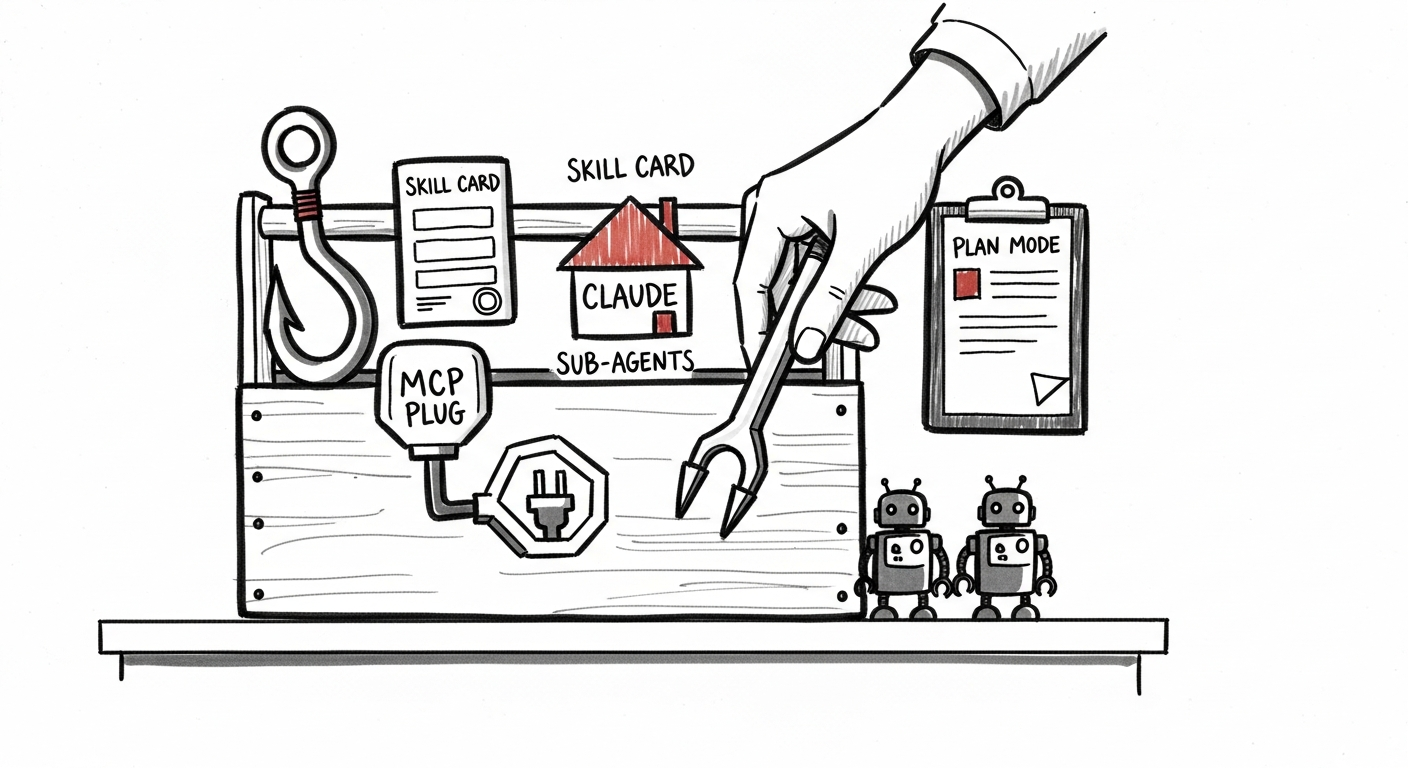
Every Claude Code session we run at Black Flag Design happens inside a harness: hooks, skills (slash commands), project CLAUDE.md, MCP servers, sub-agents, plan mode. Each of these pieces is a different shape of leverage. Each one has a setup cost. And the most common mistake we see (in our own work and on client teams) is reaching for the wrong piece, or reaching for all of them, on the task in front of you.
This is the decision framework we actually use. The question on every task is the same: what is the smallest harness change that will make this session land cleanly?
1. Plan mode is for scope you don't trust yet
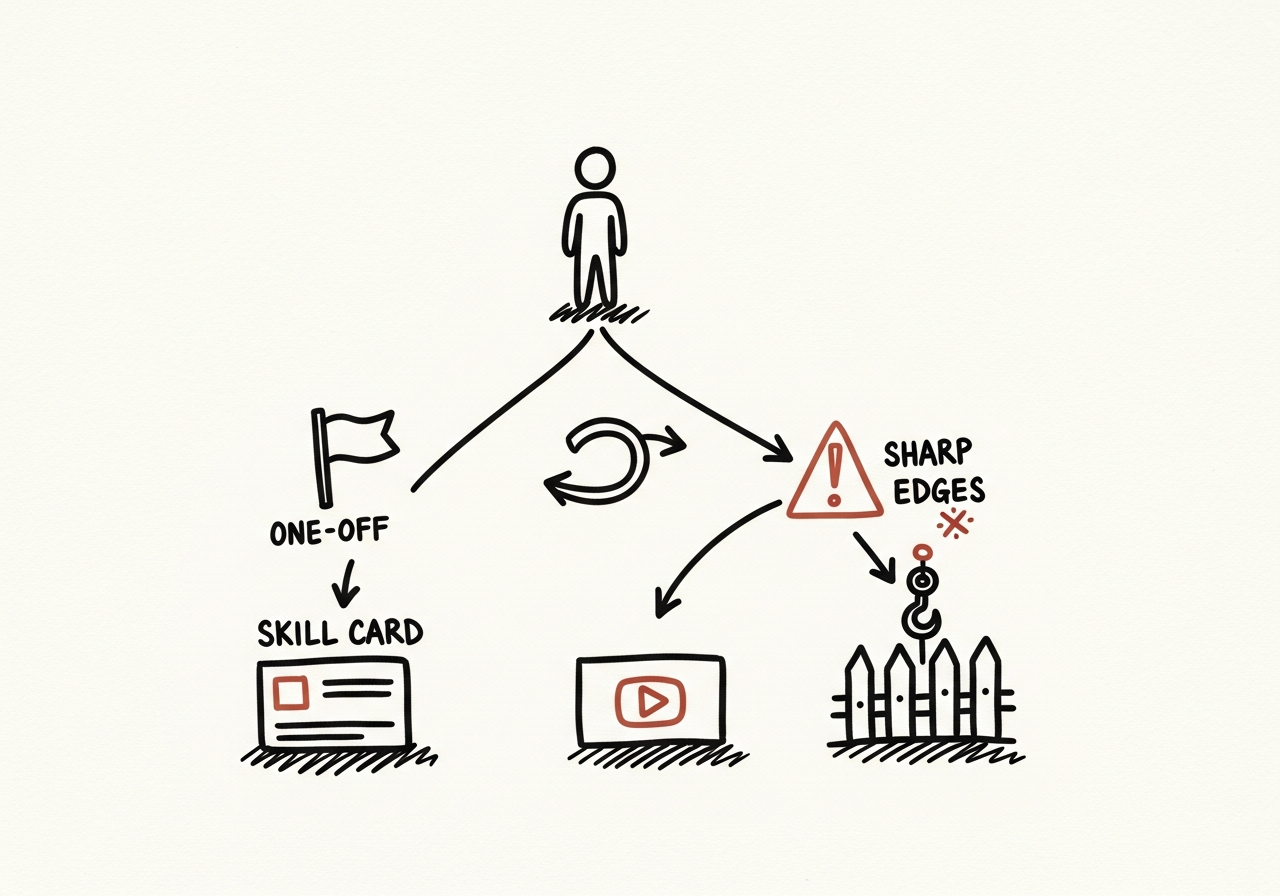
Plan mode earns its keep when you don't yet know the shape of the diff. The prompt is fuzzy. The blast radius is unclear. You're one wrong turn away from a sprawling commit nobody wants to review.
The tell is simple: can you describe the change in one sentence? If not, start in plan mode. Let Claude Code propose the moves, push back on the scope, and only exit the plan once the diff fits in your head. Running plan mode on a one-line fix is overhead. Skipping it on a cross-cutting refactor is how you end up with a 40-file diff at 4:30pm on a Friday.
What to do: default to plan mode when the prompt is larger than the patch. Skip it when you already know exactly which file, which function, and which acceptance check.
2. Skills are for disciplines you run more than twice
A slash command (skill) is a frozen prompt plus a frozen workflow. Every skill costs you an hour or two to write well. It pays back every time you run it.
The rule we use: if we've done the same kind of work three times and the second and third runs felt like we were re-explaining ourselves, the fourth run gets a skill. Meeting notes to action items. PRD drafts. Feedback triage. Weekly client updates. Those are skills in our repo because they happen on a rhythm.
Don't make a skill out of a one-off. Don't make a skill out of a task that changes shape every time you touch it. Skills are for disciplines, not novelty.
What to do: track repeated prompts for a week. The ones you typed three times become skills. The ones you typed once stay as prompts.
3. CLAUDE.md is for the rules of the house
CLAUDE.md lives in the repo and loads into every session in that repo, automatically. That is its power and its trap. Everything you put there costs attention on every single run.
So the bar is high: CLAUDE.md is for rules that apply to every task in this codebase. Which tokens to use. Which folders are read-only. Which conventions matter. Which clients and their stakeholders the repo serves. Short, declarative, pointer-heavy. Not a place for task instructions or one-time context.
If a rule only applies to some sessions, it belongs in a skill or a prompt, not here. If it applies to everyone every time, write it once in CLAUDE.md and stop re-explaining it.
What to do: audit your CLAUDE.md monthly. Anything that doesn't apply to every session in that repo is moved out. The file gets shorter over time, not longer.
4. Hooks are for rules the model should not be allowed to break
Hooks run deterministically, outside the model's control. A pre-commit hook that blocks a missing test. A post-edit hook that runs the linter. A pre-tool hook that rejects a hardcoded color.
The distinction that matters: CLAUDE.md is guidance; hooks are enforcement. Guidance drifts. Enforcement doesn't. Any rule where you cannot accept a single exception (security, licensing, token purity, destructive-action gates) should be a hook, not a paragraph in a markdown file.
The cost is real: hooks need maintenance, they can fire in the wrong place, and a badly written hook slows every session in the repo. Keep them narrow, loud when they trigger, and easy to bypass when a human explicitly decides to.
What to do: write a hook the second time the same rule gets violated in a review. Once is a lesson. Twice is evidence it needs to be mechanical.
5. MCPs are for reaching into real systems, not for reading files
An MCP server puts a live system (Linear, Gmail, your CMS, your database) inside the session's reach. The value is the live part. The moment Claude Code can query the real ticket, the real inbox thread, the real blog draft, you stop watching it hallucinate what those things contain.
But MCPs are not a substitute for the filesystem. If the information lives in the repo, read the repo. If it lives in a system outside the repo, and you'd otherwise paste a screenshot or a CSV into the prompt, that's the MCP signal.
We add an MCP when the same external system shows up in three different sessions and the workaround is getting painful. We don't add one because it exists.
What to do: list the external systems you paste into prompts this week. Two or more paste-ins of the same system is the threshold for an MCP.
6. Sub-agents are for parallel, independent, scoped work
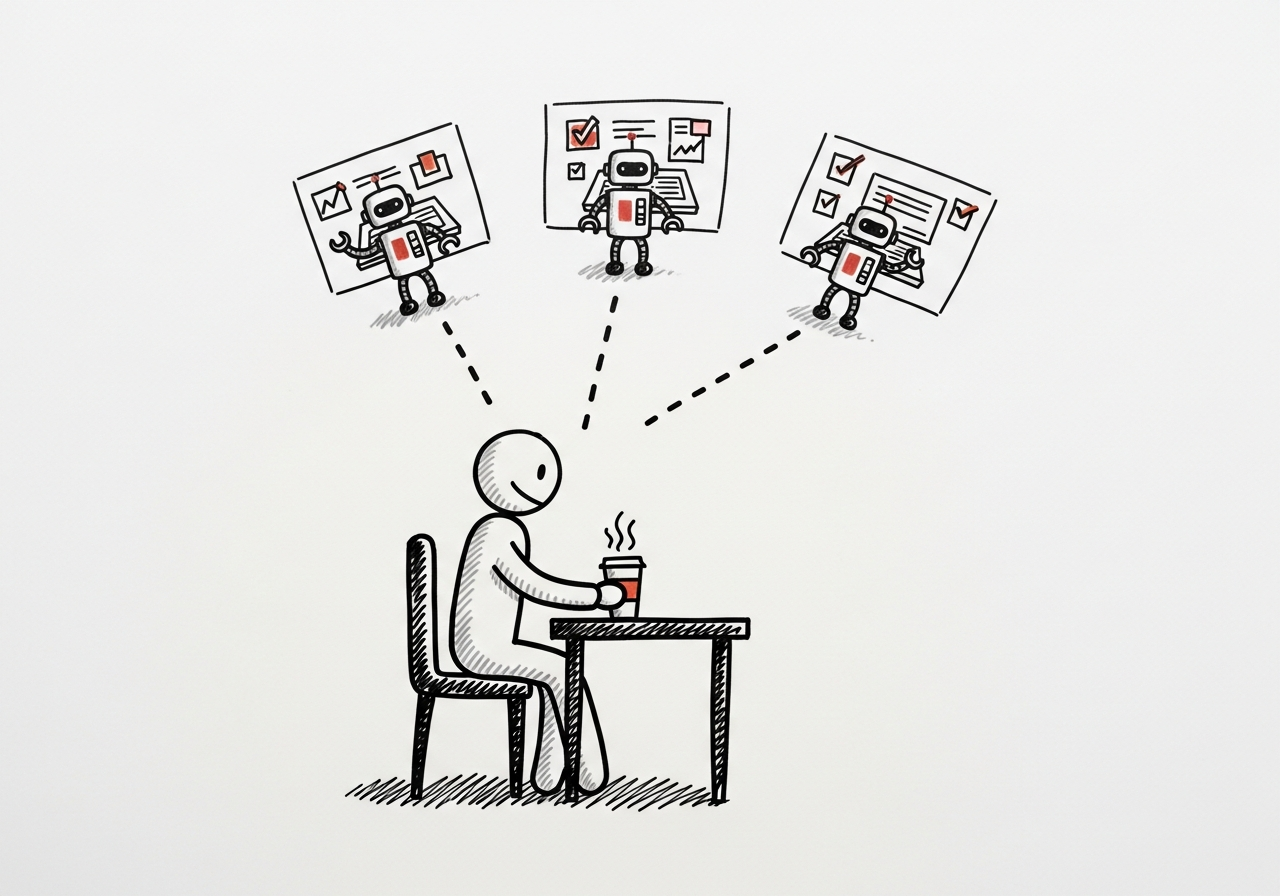
Sub-agents (spawning a teammate for a specific slice of work) are the piece most teams over-reach with. They shine when the work splits cleanly into independent chunks: five meetings to process, three clients to update, six components to audit. One sub-agent per slice, explicit scope, no shared state beyond a task list.
They fail when the work is sequential, or when the slices depend on each other's output. Two sub-agents fighting over the same files is slower than one session doing them in order. We've burned enough hours on git lock contention and conflicting edits to believe this firmly.
We wrote up a year of those trails and the pattern held: the teams that got the most out of sub-agents were also the strictest about scoping them.
What to do: spawn sub-agents only when the work is genuinely parallel and the slices don't touch each other. One teammate per client, one per transcript, one per component. Never one per "phase."
The one-paragraph version
Match the harness piece to the shape of the task. Plan mode when the scope is fuzzy. Skills when the discipline repeats. CLAUDE.md for rules that apply every run. Hooks when the rule must be mechanical. MCPs when the information lives outside the repo. Sub-agents only when the work parallelizes cleanly. Everything else is a plain session with a tight prompt, which is still the right answer more often than people admit.
If you're rebuilding your harness this quarter, start with the task log, not the tool list. The tasks will tell you which pieces earn their keep.

%22%2F%3E%3Cpath%20d%3D%22M0%20110h1200M0%20375h1200M0%20640h1200M180%200v750M600%200v750M1020%200v750%22%20stroke%3D%22rgb(244%20241%20234)%22%20stroke-opacity%3D%22.13%22%20stroke-width%3D%222%22%2F%3E%3Crect%20x%3D%2288%22%20y%3D%2286%22%20width%3D%221024%22%20height%3D%22578%22%20fill%3D%22none%22%20stroke%3D%22rgb(244%20241%20234)%22%20stroke-opacity%3D%22.32%22%20stroke-width%3D%223%22%2F%3E%3Ctext%20x%3D%22110%22%20y%3D%22150%22%20fill%3D%22rgb(244%20241%20234)%22%20font-family%3D%22Montserrat%2C%20Arial%2C%20sans-serif%22%20font-size%3D%2228%22%20font-weight%3D%22800%22%20letter-spacing%3D%228%22%3ECLAUDE%20CODE%3C%2Ftext%3E%3Ctext%20x%3D%22110%22%20y%3D%22572%22%20fill%3D%22rgb(244%20241%20234)%22%20font-family%3D%22Montserrat%2C%20Arial%2C%20sans-serif%22%20font-size%3D%2276%22%20font-weight%3D%22900%22%3EBLACK%20FLAG%3C%2Ftext%3E%3Ctext%20x%3D%22110%22%20y%3D%22635%22%20fill%3D%22rgb(244%20241%20234)%22%20font-family%3D%22Montserrat%2C%20Arial%2C%20sans-serif%22%20font-size%3D%2252%22%20font-weight%3D%22700%22%3EJOURNAL%3C%2Ftext%3E%3CforeignObject%20x%3D%22110%22%20y%3D%22210%22%20width%3D%22940%22%20height%3D%22230%22%3E%3Cdiv%20xmlns%3D%22http%3A%2F%2Fwww.w3.org%2F1999%2Fxhtml%22%20style%3D%22font-family%3AMontserrat%2CArial%2Csans-serif%3Bfont-size%3A50px%3Bfont-weight%3A800%3Bline-height%3A1.02%3Bcolor%3Argb(244%20241%20234)%3Bletter-spacing%3A0%22%3EWhat%20a%20Year%20of%20Claude%20Code%20Trails%20Tells%20You%20About%20Your%20Team%3C%2Fdiv%3E%3C%2FforeignObject%3E%3C%2Fsvg%3E)
%22%2F%3E%3Cpath%20d%3D%22M0%20110h1200M0%20375h1200M0%20640h1200M180%200v750M600%200v750M1020%200v750%22%20stroke%3D%22rgb(244%20241%20234)%22%20stroke-opacity%3D%22.13%22%20stroke-width%3D%222%22%2F%3E%3Crect%20x%3D%2288%22%20y%3D%2286%22%20width%3D%221024%22%20height%3D%22578%22%20fill%3D%22none%22%20stroke%3D%22rgb(244%20241%20234)%22%20stroke-opacity%3D%22.32%22%20stroke-width%3D%223%22%2F%3E%3Ctext%20x%3D%22110%22%20y%3D%22150%22%20fill%3D%22rgb(244%20241%20234)%22%20font-family%3D%22Montserrat%2C%20Arial%2C%20sans-serif%22%20font-size%3D%2228%22%20font-weight%3D%22800%22%20letter-spacing%3D%228%22%3EPLAYBOOK%3C%2Ftext%3E%3Ctext%20x%3D%22110%22%20y%3D%22572%22%20fill%3D%22rgb(244%20241%20234)%22%20font-family%3D%22Montserrat%2C%20Arial%2C%20sans-serif%22%20font-size%3D%2276%22%20font-weight%3D%22900%22%3EBLACK%20FLAG%3C%2Ftext%3E%3Ctext%20x%3D%22110%22%20y%3D%22635%22%20fill%3D%22rgb(244%20241%20234)%22%20font-family%3D%22Montserrat%2C%20Arial%2C%20sans-serif%22%20font-size%3D%2252%22%20font-weight%3D%22700%22%3EJOURNAL%3C%2Ftext%3E%3CforeignObject%20x%3D%22110%22%20y%3D%22210%22%20width%3D%22940%22%20height%3D%22230%22%3E%3Cdiv%20xmlns%3D%22http%3A%2F%2Fwww.w3.org%2F1999%2Fxhtml%22%20style%3D%22font-family%3AMontserrat%2CArial%2Csans-serif%3Bfont-size%3A50px%3Bfont-weight%3A800%3Bline-height%3A1.02%3Bcolor%3Argb(244%20241%20234)%3Bletter-spacing%3A0%22%3EThe%20Black%20Flag%20Playbook%3A%20Six%20Principles%20for%20Shipping%20with%20AI%3C%2Fdiv%3E%3C%2FforeignObject%3E%3C%2Fsvg%3E)